
Features
Gym log, workout planner, and progress tracking in one offline app
IronBuddy is an Android workout tracker built around what lifters actually do at the gym: log sets, follow a training split, and check whether the numbers are going up. It works offline, needs no account, and has no ads or subscription.
Last updated

5-day free trial, then €6.99 once · No subscription
IronBuddy at a glance
- Platform
- Android, through Google Play. Not available on iPhone yet.
- Works offline
- Yes. Logging, workout history and the exercise library need no internet connection.
- Account
- None. There is no sign-up or sign-in.
- Ads
- None.
- Pricing
- Free to download with a 5-day free trial. After the trial, a one-time in-app purchase of €6.99 is required to keep using the app. No subscription.
- Your data
- Stored on your device and not sent to IronBuddy servers.
- Units
- Kilograms or pounds.
Workout logging: sets, reps, weight, and notes
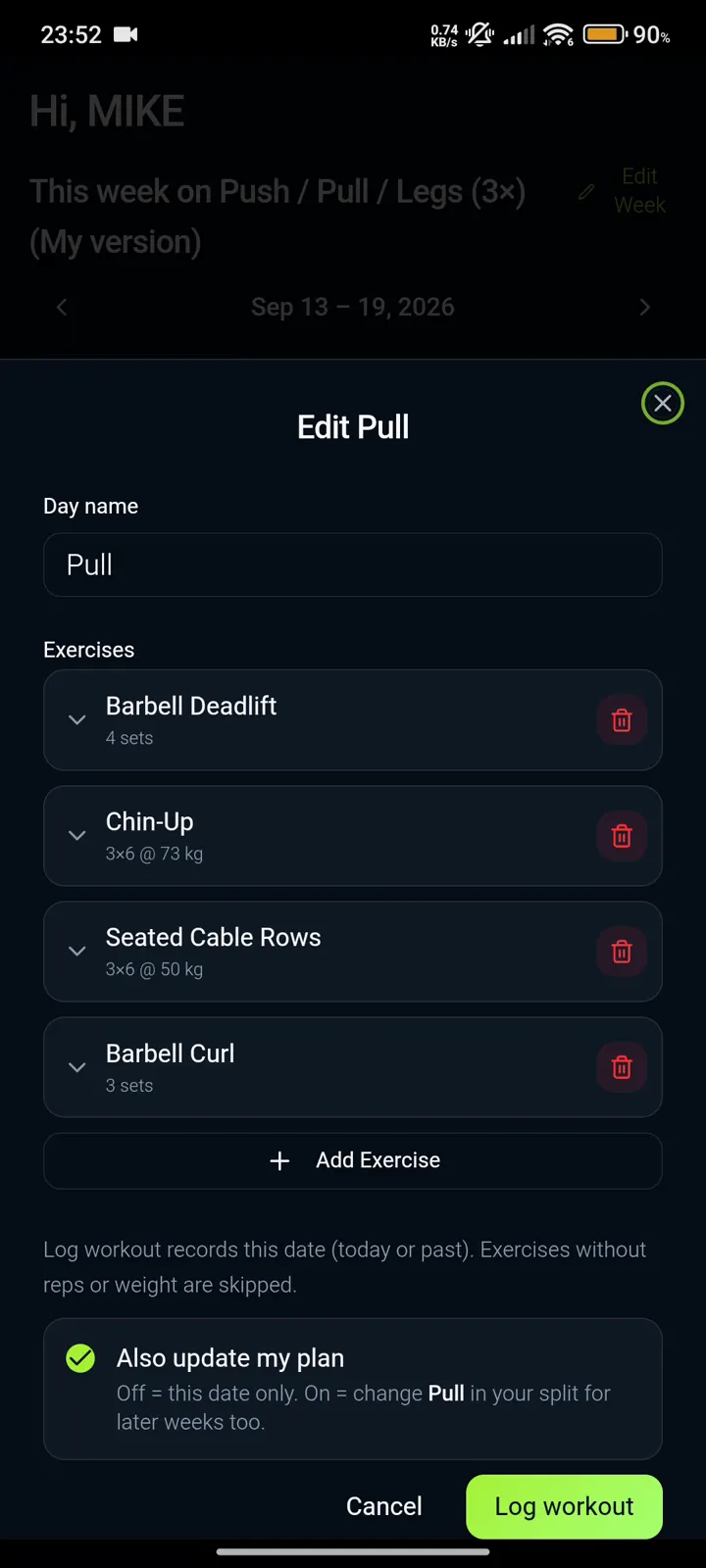
Record each exercise as sets, reps, and weight, and add notes when something about a set is worth remembering. You can log a workout for today or fill in a past date, and add exercises on the fly.
Exercises without reps or weight are skipped, so an unfinished row does not clutter your history. When you edit a training day, the “Also update my plan” switch lets you choose whether the change applies to that date only or to the same day in later weeks.
New to logging? Read how to log your workouts.
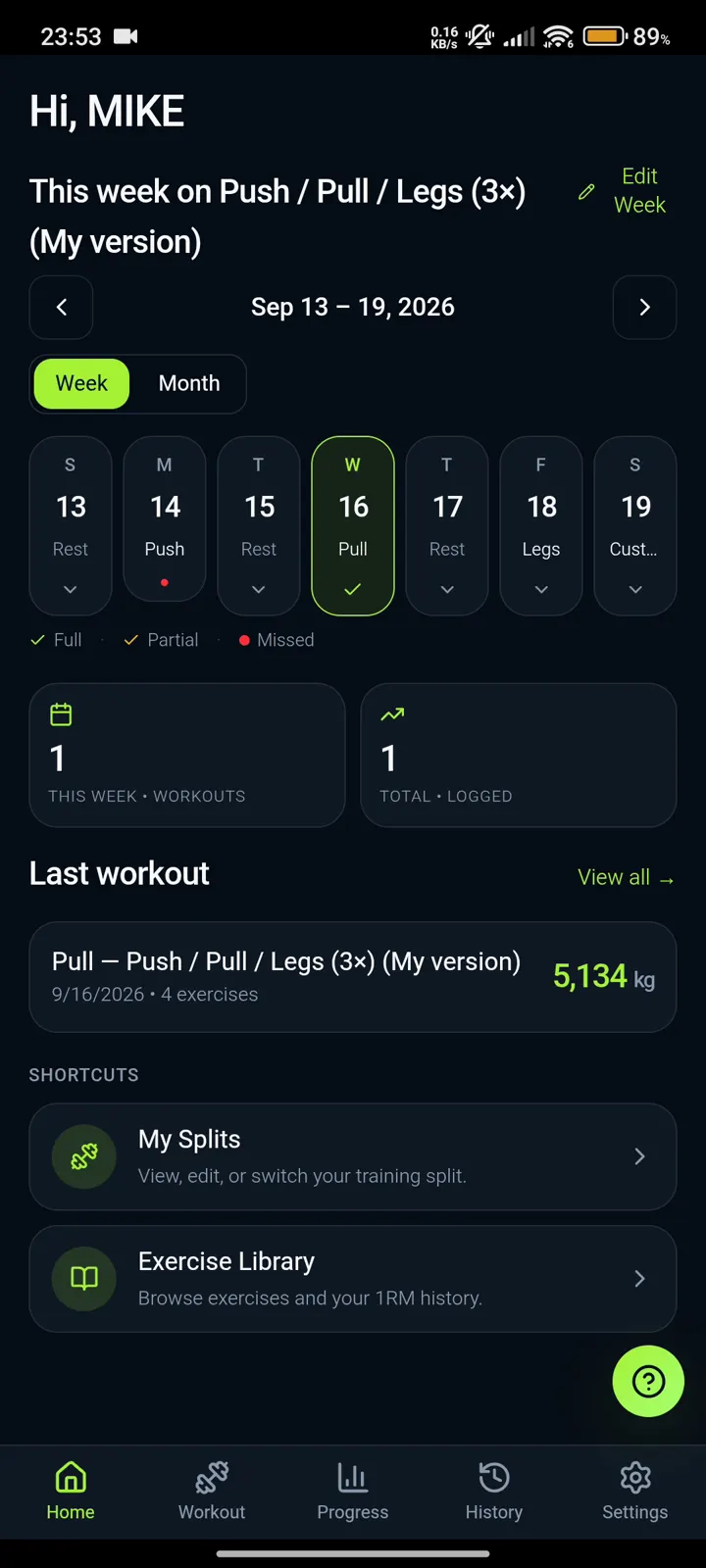
Your week at a glance
The home screen shows this week's plan with each training day's status: full, partial, or missed. Switch between a week and a month view, see how many workouts you have logged this week and in total, and jump into your last workout, which is summarized with its total volume.
Shortcuts take you straight to your training splits and to the Exercise Library.
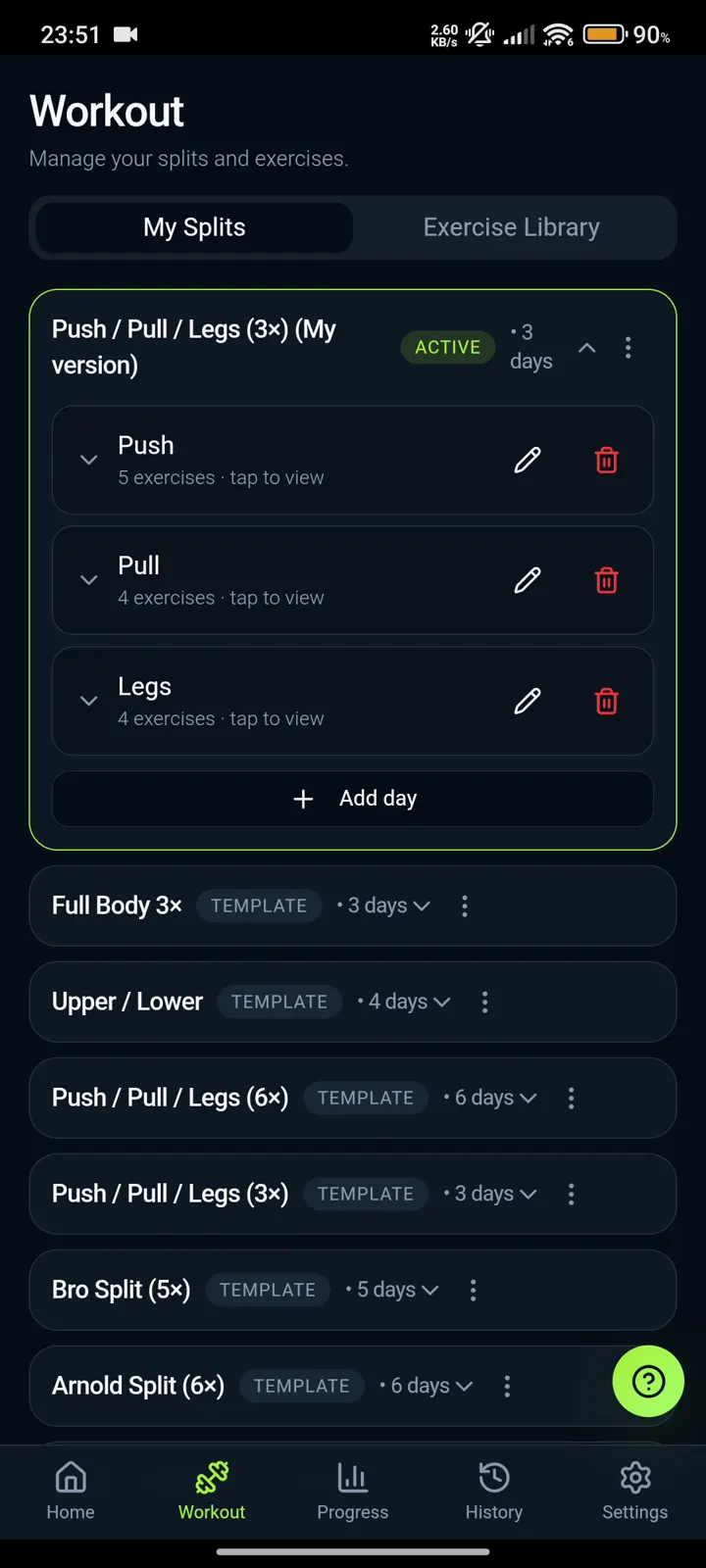
Training splits and workout planning
Start from a template or build your own program. IronBuddy includes templates such as Full Body 3×, Upper/Lower, Push/Pull/Legs (3× and 6×), Bro Split, and Arnold Split. Make one active, add or remove days, and change the exercises on any day.
You can also export your active split as a PDF.
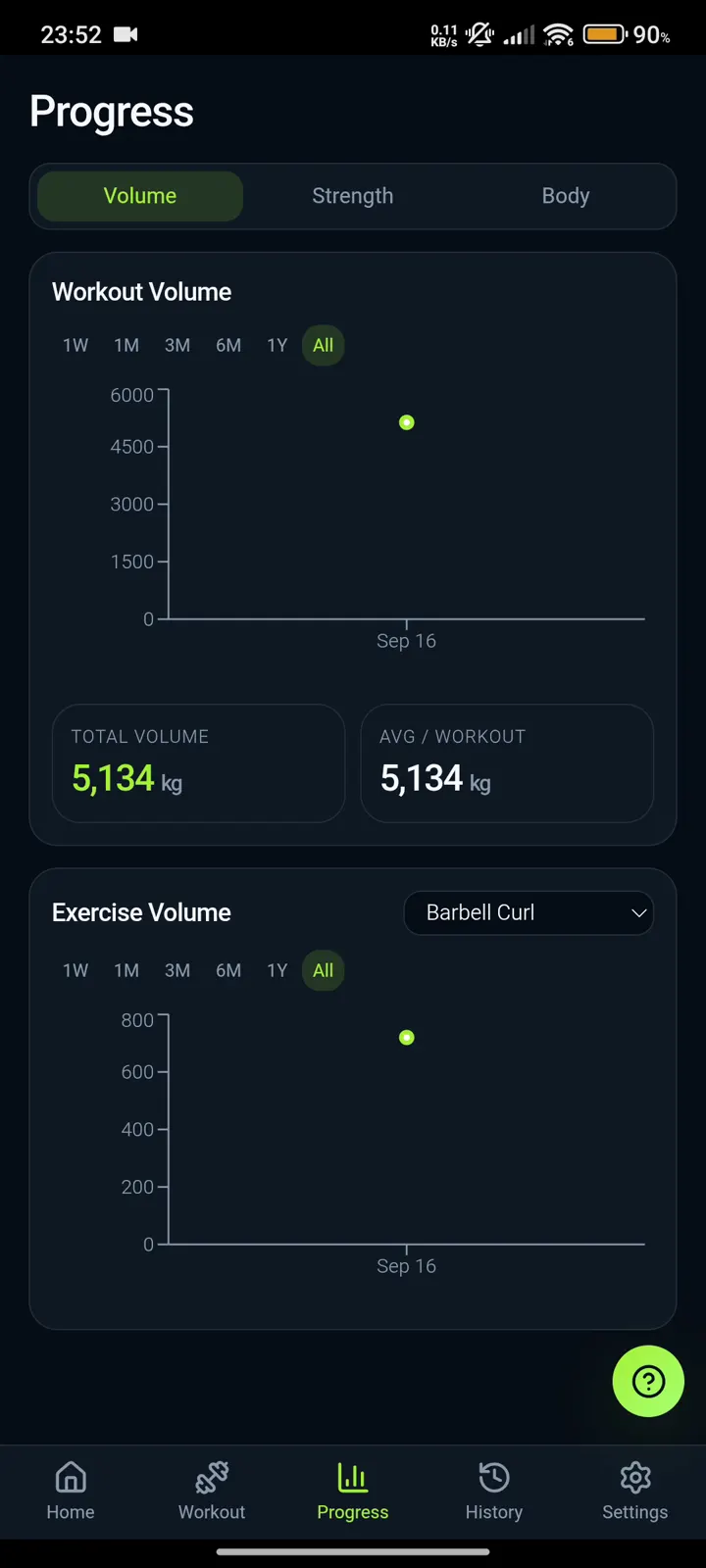
Progress tracking: training volume and estimated strength
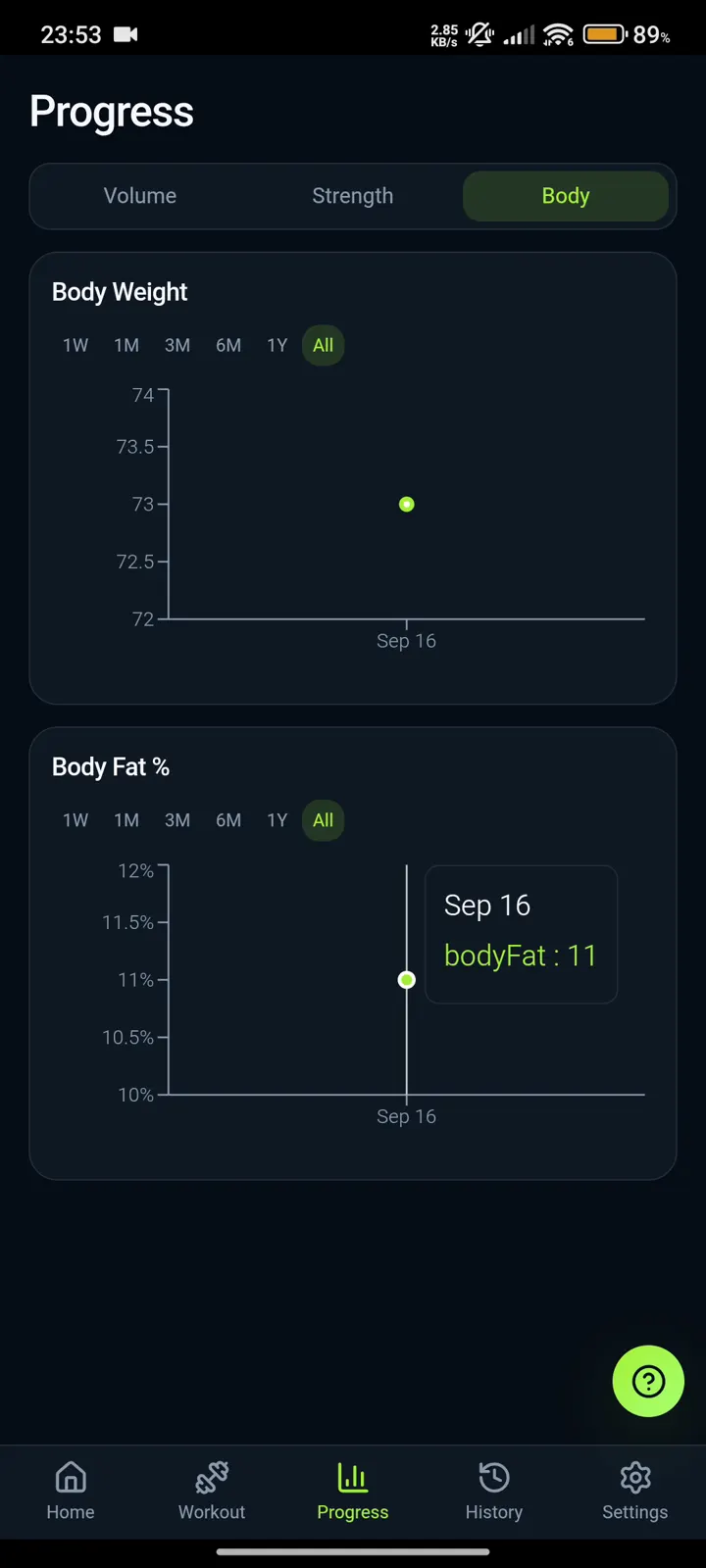
The Progress tab has three views: Volume, Strength, and Body. Volume shows total and average workout volume, plus a chart for any single exercise. Strength follows your estimated 1RM. Choose a range from one week to all time.
These are the numbers most lifters use to check progressive overload: are you lifting more total volume, or a heavier estimated max, than a few weeks ago? For a simple method, read how to track progressive overload.
Body metrics: weight and body fat percentage
Log body weight and body fat percentage whenever you want to, and see each as a chart over the same time ranges as your training. Body metrics are optional, so you only track what is useful to you.
Exercise library with demonstrations
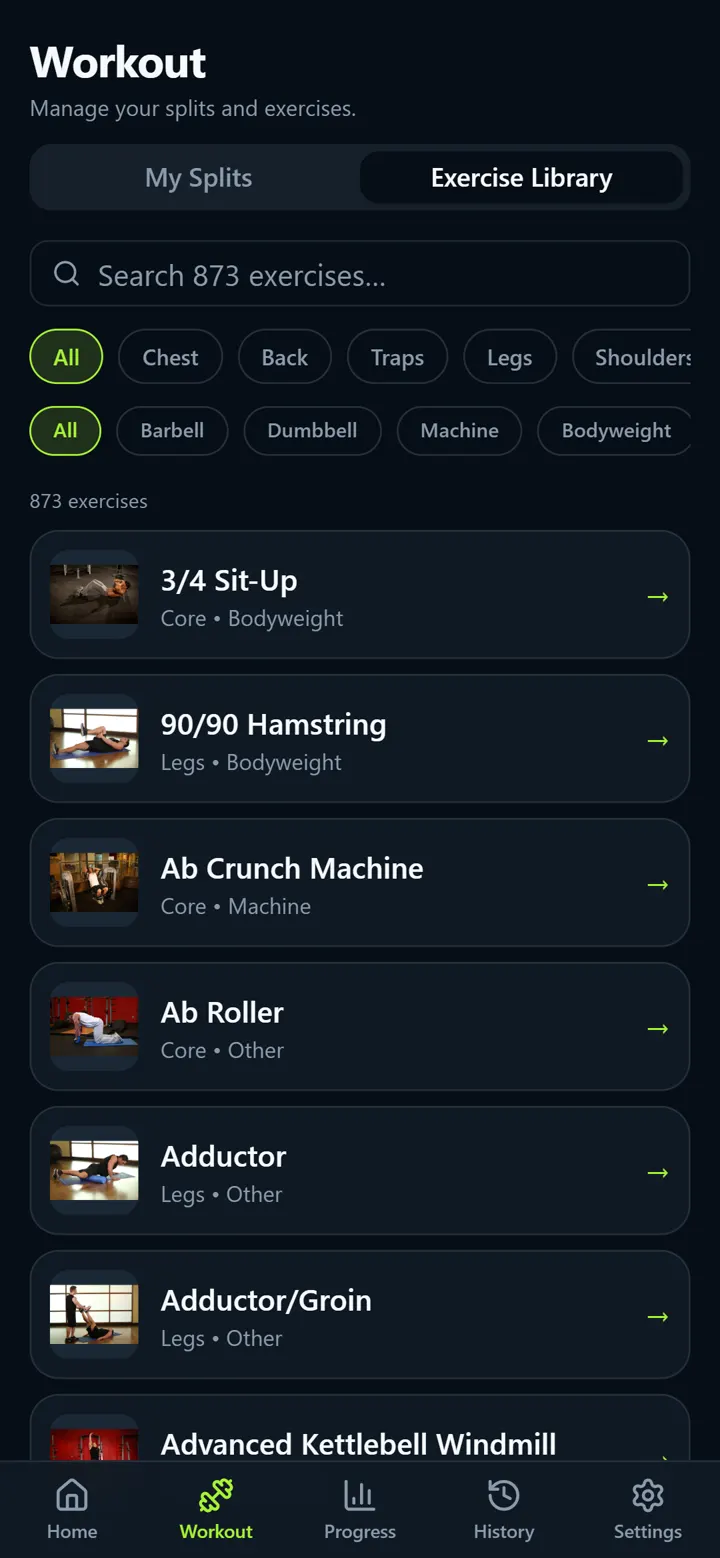
Search more than 800 exercises, filter by muscle group (chest, back, traps, legs, shoulders, and more) and by equipment (barbell, dumbbell, machine, bodyweight, and more), and see a demonstration thumbnail for each one.
Browse exercises and your 1RM history from the Exercise Library. The library works offline, like the rest of the app.
Your data: offline, private, and portable
- Offline: logging, history, and the exercise library work without a connection. See how offline tracking works.
- No account: there is no sign-up or sign-in and no IronBuddy cloud.
- Stored on your device: workouts, splits, notes, body metrics, and settings live in the app's on-device storage. See what IronBuddy stores and where.
- Backups you control: an automatic JSON backup file in your Downloads folder (you can turn it off in Settings), manual JSON export, and import with an undo copy kept from just before the import.
- Reset All Data: clears what IronBuddy stores on the device.
Get IronBuddy on Google Play
Free to download with a 5-day free trial. After the trial, pay €6.99 once to keep using IronBuddy. No account, no ads, no subscription.